Harvard’s Bullet Point Resume Template is the first pick for a straightforward editable draft; refresh ranks second for applicants who want a template alongside job-specific revision support. The best choice depends on whether you need a clean starting document, help tailoring your experience, or a structure suited to your career stage. This shortlist separates those decisions from claims that a layout can guarantee an ATS pass.
Quick Answer
Start with Harvard if you want to write and maintain your own resume. Choose refresh if your priority is connecting a target job’s requirements with the experience you can actually support. Consider Yale’s Experienced Alum template for an established career, CareerOneStop’s combination sample for a career transition, or MIT’s first-year layouts for an initial college resume.
Treat ATS-friendly as a design goal, not a certification. Greenhouse’s documentation, updated in March 2026, identifies columns, graphics, complex tables, and contact details in headers or text boxes as possible causes of unsuccessful parsing. That is evidence about Greenhouse’s parser, not proof that every employer processes resumes identically. Greenhouse’s resume-parsing guidance explains the distinction.
Selection Criteria: How These Templates Are Ranked
This is an editorial ranking for a general US job search, not a measured ranking of ATS pass rates. The order prioritizes a practical default first, then integrated tailoring support, followed by more specialized career-stage needs.
Each option is assessed on the same criteria:
- Structure: Does it provide a useful way to organize relevant experience, qualifications, and dates?
- Editability: Can the applicant revise the document rather than work from a decorative image?
- Tailoring: How does the option help the applicant connect real experience to the target role?
- Audience fit: Is it a general starting point or a better match for a particular career situation?
- Tradeoffs: What adaptation, plan restriction, or finished-file check affects the choice?
Harvard leads because its official resource offers several editable starting formats. refresh follows for its workflow comparing job requirements and ATS keywords with the applicant’s actual experience evidence. The remaining options address established careers, transitions, and first-year applications respectively. The official sources supporting those distinctions appear with each pick below.
Comparison Table
The table summarizes the same decision fields across all five picks. Download routes and capabilities are documented in the linked Evidence field of each corresponding section.
| Rank and pick | Best for | Starting format | Main strength | Main limitation |
|---|---|---|---|---|
| 1. Harvard Bullet Point | A self-managed first draft | DOCX, accessible DOCX, Google Docs | Editable bullet-point starting document | First draft still needs role-specific revision |
| 2. refresh.cv resume | Job-specific revision support | Selectable-text resume template | Single-column layout with familiar headings | Check section order and exported output with your own content |
| 3. Yale Experienced Alum | An established work history | DOCX | A dedicated experienced-applicant option | Audience label does not establish individual job fit |
| 4. CareerOneStop Combination | Transferable skills and career changes | DOCX sample | Skills framing alongside employment dates | Sample narrative must be replaced, not copied |
| 5. MIT First-Year Layouts | A first college resume | DOCX layouts A and B | Early-career content guidance | First-year focus is less suited to an established career |
1. Harvard College Bullet Point Resume Template
Best for: Applicants who want an editable document and prefer to manage their own writing and revisions.
What to know: Harvard’s Mignone Center for Career Success offers a standard DOCX version, an accessible DOCX version, and a Google Docs version. Its resource describes the template as a way to build a first draft.
Strength: The choice of editing formats makes this a practical starting recommendation rather than a commitment to a particular online editor. Pick the version you can comfortably maintain as your experience changes.
Limitation: Harvard presents this as a first-draft resource. Before submitting, choose and order sections around the experience most relevant to the target role rather than preserve a starting document unchanged.
Evidence: Use the official Harvard Bullet Point Resume Template resource for its editable versions and first-draft guidance.
Harvard takes the top position as a drafting default. That recommendation is about a usable starting document, not an assertion that a university name on the source page changes an employer’s evaluation.
2. refresh.cv Resume Template
Best for: Applicants who need help tailoring a resume to a specific job, not just choosing its appearance.
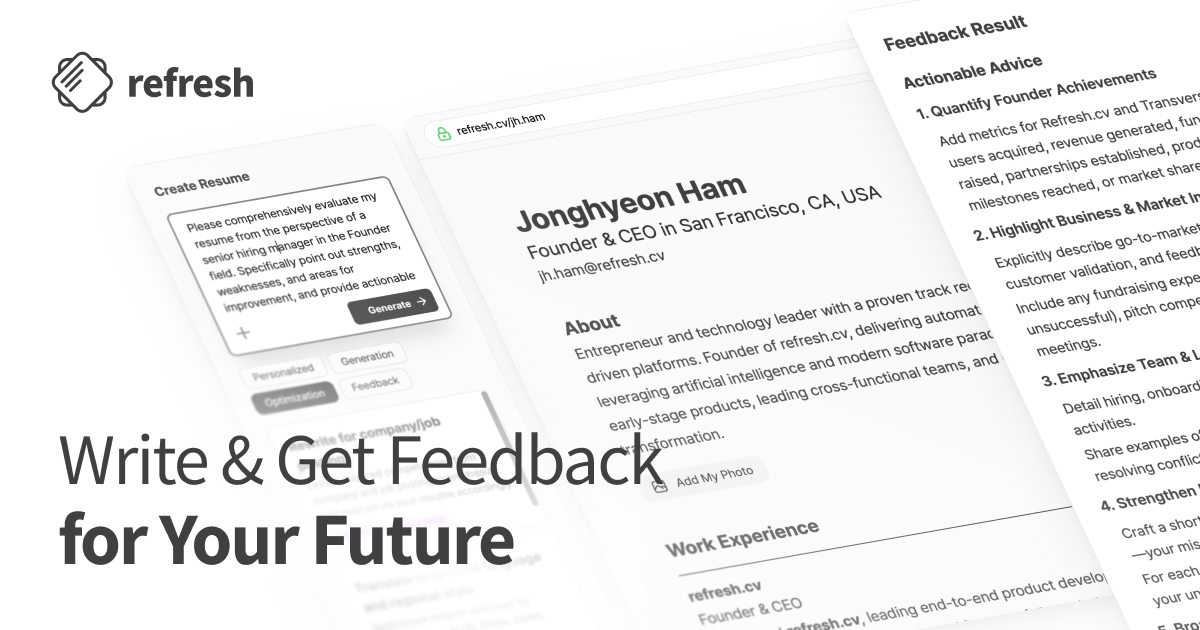
What to know: refresh describes its “refresh.cv resume” template as single-column, with familiar headings and a clear top-to-bottom reading order.
Strength: Its workflow compares job requirements and ATS keywords with resume evidence. It distinguishes keywords supported by experience, relevant experience missing the matching wording, and requirements with no relevant experience found. Revisions should use the posting’s language only where the applicant’s experience supports it.
Limitation: Template and export access depend on the plan, as explained in the FAQ below. Resume quality and job-specific fit are separate assessments; neither is an employer’s actual ATS result or a hiring probability.
Evidence: The official refresh ATS-friendly resume template overview describes the named template’s single-column layout, familiar headings, and reading order.
refresh ranks second here for its evidence-aware tailoring workflow. Choose it to connect job requirements with experience you can substantiate, not for a promise of interviews. Mock Apply is an additional preparation feature, not the reason for this template’s position.
3. Yale Experienced Alum Resume Template
Best for: Applicants looking for a starting document explicitly intended for an established career rather than a first student application.
What to know: Yale’s Office of Career Strategy provides separate recent-alumni and experienced-alumni resume templates as DOCX downloads. Yale states that these templates work with applicant tracking systems.
Strength: The dedicated experienced-applicant option gives this pick a clear role in the shortlist. It is worth considering when a college-style starting document no longer reflects the story you need to tell.
Limitation: An experienced-applicant label does not determine which achievements belong in your application. Review the target role before deciding what to retain, shorten, or move. Yale’s ATS statement also should not be read as a guarantee about every employer’s configuration.
Evidence: Yale’s official alumni resume resources link both DOCX templates and explain their intended ATS compatibility.
Yale ranks behind the broader starting options because this pick serves a more specific audience. For an experienced applicant, however, that audience fit may matter more than its overall position. Start with the document that requires the least structural compromise, not the highest-ranked name.
4. CareerOneStop Combination Resume Sample
Best for: Applicants who need to explain transferable skills while retaining a visible employment history.
What to know: CareerOneStop provides a downloadable DOCX combination sample for Maya Lee, an administrative assistant seeking a project coordinator role. The sample uses skill headings to connect existing experience with the target position while preserving employment dates.
Strength: It offers a concrete model for changing the emphasis of a career story without replacing the work history with an unsupported skills list.
Limitation: The sample’s responsibilities and career objective are not reusable evidence. Replace them with your own work. If a proposed skill heading cannot be supported by your examples, remove or revise it.
Evidence: CareerOneStop’s official resume samples include the combination download. Its formatting guide explains how combination resumes retain detailed work history and can highlight transferable skills.
This is the transition-focused pick, rather than the default for every applicant. Consider it when your current job title understates relevant responsibilities. Avoid using extra skills sections merely to repeat the same claims already made in your experience bullets.
5. MIT First-Year Resume Layouts
Best for: First-year college students deciding how to organize education, projects, activities, and early experience.
What to know: In his first-year resume guide for MIT Career Advising & Professional Development, Erik Pavesic provides downloadable DOCX layouts labeled A and B. The guide explains how to identify relevant content rather than assume that only formal employment belongs on a resume.
Strength: The supporting guidance makes this useful for applicants whose main difficulty is deciding what counts as relevant experience. It discusses coursework, projects, independently developed skills, and other activities.
Limitation: Its first-year focus makes it less directly suited to an established career. Treat the supplied layouts as drafting starting points and inspect the document you finish.
Evidence: Pavesic’s MIT guide for first-year undergraduates contains both downloads and guidance on selecting relevant content.
MIT occupies the final position because of its narrower audience. It remains a useful choice when organizing an initial college resume is the immediate problem.
Decision Guide: Choose for the Work You Need to Do
If the content is ready but the document is not
Begin with Harvard’s editable template. Before transferring your draft, decide which headings you actually need. Do not retain an optional section simply because the sample includes it.
For an established career, compare that starting point with Yale’s experienced-applicant option. Prefer the one that lets you present the most relevant work without squeezing it around unnecessary academic material.
If the document looks finished but says little about the target role
Consider refresh’s tailoring workflow. The useful question is not how many words can be copied from the posting. It is which requirements you can substantiate and whether the resume makes that evidence clear.
Before paying for any workflow, decide whether you need ongoing revision support or only a document you can edit yourself. A template choice and a subscription choice are separate decisions.
If your background does not follow the obvious route
Use CareerOneStop’s combination sample as a structural reference for a transition. For a first college application, use MIT’s early-career guidance to identify relevant projects and activities.
In either case, write down the evidence before selecting headings. A heading such as “Project Coordination” should introduce work that actually demonstrates that skill, not substitute for it.
Worked Example: Tailoring Without Inventing Experience
Consider this hypothetical applicant moving from customer support into product operations. The target posting asks for issue analysis, cross-functional coordination, and SQL. The applicant has reviewed support tickets, worked with engineering on recurring problems, and has no SQL experience.
Use the following classification as an editing exercise, not a prediction of an employer’s score:
| Requirement | Applicant’s evidence | Appropriate revision |
|---|---|---|
| Cross-functional coordination | Resume already describes working with engineering on recurring issues | Keep the concrete example and clarify the applicant’s responsibility |
| Issue analysis | Applicant grouped recurring tickets, but the resume says only “handled customer requests” | Describe the actual analysis and its purpose |
| SQL | No supporting experience | Do not add SQL as a skill or invent a project |
A truthful replacement for the vague bullet could be:
Grouped recurring support tickets by issue type and shared findings with engineering to inform troubleshooting priorities.
This is an invented illustration, not a customer result. It adds detail without inventing a numerical improvement, claiming ownership of an engineering decision, or implying SQL use.
Now consider the template. The revised bullet needs to sit beneath the role where that work happened. If a skills section also mentions issue analysis, the experience entry should supply the context. Changing the layout alone would not supply that missing explanation.
Check the Finished File Before Applying
Evaluate the exported resume, not just the empty template preview. Use this final review as a practical check:
- Confirm that your contact details, employers, role titles, and dates are present and legible.
- Read the document from top to bottom to check whether the sequence makes sense.
- Look for awkward page breaks, isolated headings, or bullets separated from the role they describe.
- Follow the employer’s requested file type and review any application fields populated from your upload.
These checks address different problems. A visual review catches presentation issues. Reviewing populated fields catches extraction errors visible in that application. Neither establishes how the employer will evaluate your qualifications.
Greenhouse explains that parsing fills candidate-profile fields and that an unsuccessful parse may require manual entry. Its documentation does not equate a parsing failure with automatic rejection. Use that explanation of unsuccessful parsing to distinguish document extraction from a hiring decision.
FAQ
Should I submit a PDF or a DOCX resume?
Follow the employer’s instructions first. CareerOneStop recommends PDF to preserve formatting when another format is not specified. Keep an editable working copy so you can make changes without rebuilding the document. Its saving and sending guidance puts the requested format ahead of the default.
Does using an ATS-friendly template mean I should aim for a particular match score?
No universal target follows from these template recommendations. Use a match assessment to identify questions about wording and evidence, then inspect the suggested changes. A readable document, a well-written resume, and qualifications relevant to a particular role are separate things to review. Do not turn an editing score into a claimed probability of being hired.
Can I use refresh without assuming every template or export is free?
Yes. refresh’s official plan comparison lists starter templates on Free and broader template access on paid plans. DOCX downloads are included on paid plans and are not included on Free. Consult the current refresh resume template and export plan comparison before choosing a plan for a required file format. Free access should not be interpreted as unlimited access to every feature.
Is a combination resume the same as a skills-only resume?
No. CareerOneStop distinguishes a combination resume, which retains detailed work history, from a functional format with little employment-history detail. Its resume-format guidance warns that missing work-history detail can cause problems. Choose a structure that makes your relevant skills clear while preserving where and when you used them, then tailor that evidence to the actual posting.